The palette Tap a colour to copy it
Complete the look
All orange →A live wallpaper and a site style in the same colour as GTA 6 Jason Vice City Sunset Chrome Theme.
About & install
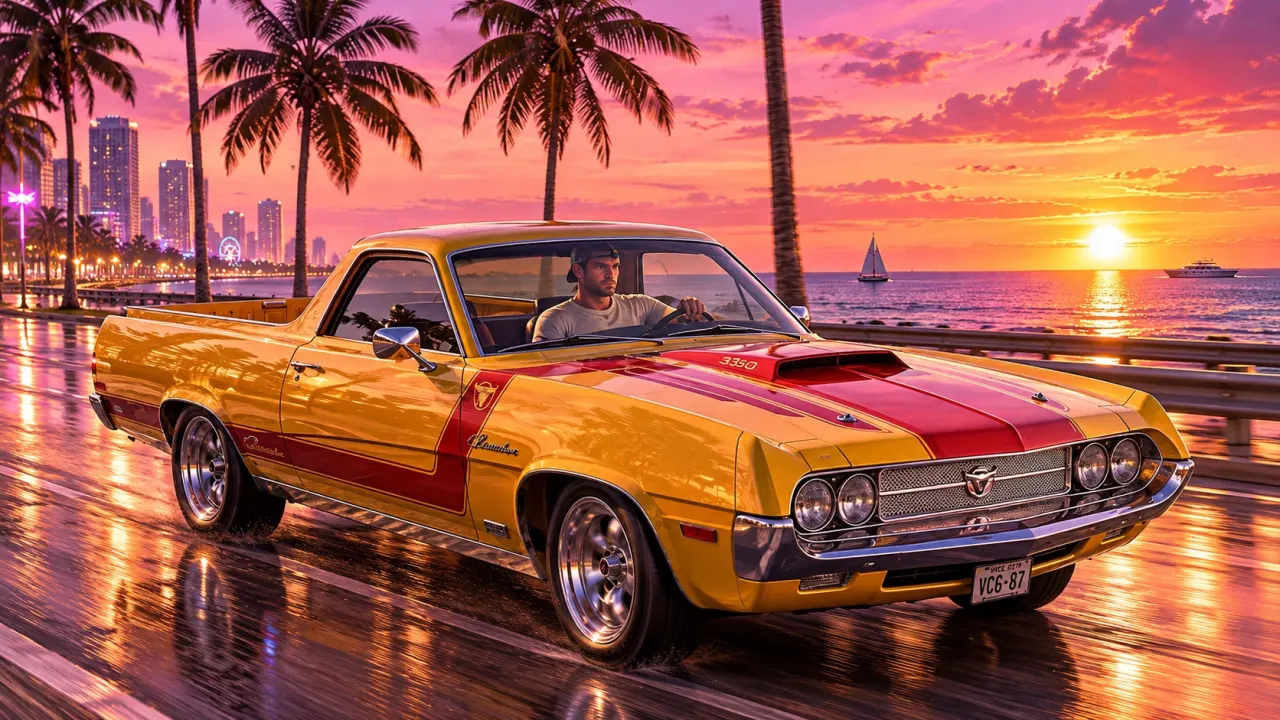
Give Chrome a Vice City evening. This free theme uses a fan-made scene inspired by GTA 6 and Jason: a golden pickup with red stripes cruising a wet coastal road under an orange sunset, with palm trees and a neon skyline behind it.
The browser frame and tabs pick up the deep violet and magenta of the sky, so the whole window feels like part of the picture, and the image fills your new tab page behind the search box. The warm palette is bright without being harsh, which keeps tab titles and bookmarks readable.
Install it in a few clicks and remove it any time from Chrome's appearance settings. This is unofficial fan artwork and is not affiliated with or endorsed by Rockstar Games or Take-Two Interactive.
How to install
- Press Add to Chrome. The Chrome Web Store opens.
- Click Add to Chrome there.
- Done. Your browser changes straight away.
- Download the ZIP and unzip it.
- Open
chrome://extensionsand turn on Developer mode (top right). - Click Load unpacked and choose the unzipped folder.
- Done. Keep the folder: Chrome needs it to show the theme.
Want your old look back? Chrome Settings → Appearance → Theme → Reset to default.
Comments
No comments yet. Be the first to say something nice.